
Amazon Just Changed How You Pay for Ads: Protect Your Ad Budget Before August 1st
Wednesday, May 20, 2026
Amazon has officially announced a major change to how certain advertisers pay for Sponsored Products, Sponsored Brands, and Sponsored Display campaigns. Originally scheduled for April 15, the change has been postponed to August 1, 2026 to give sellers more time to prepare.
If you're one of the affected sellers, this change will fundamentally alter your cash flow timing—and if you're not prepared, it could seriously disrupt your Q4 advertising strategy at the worst possible time.
In this post, we'll break down what's changing, how this impacts your cash flow, and most importantly—how strategic PPC management can help you navigate this transition while protecting your margins and maintaining your advertising momentum.
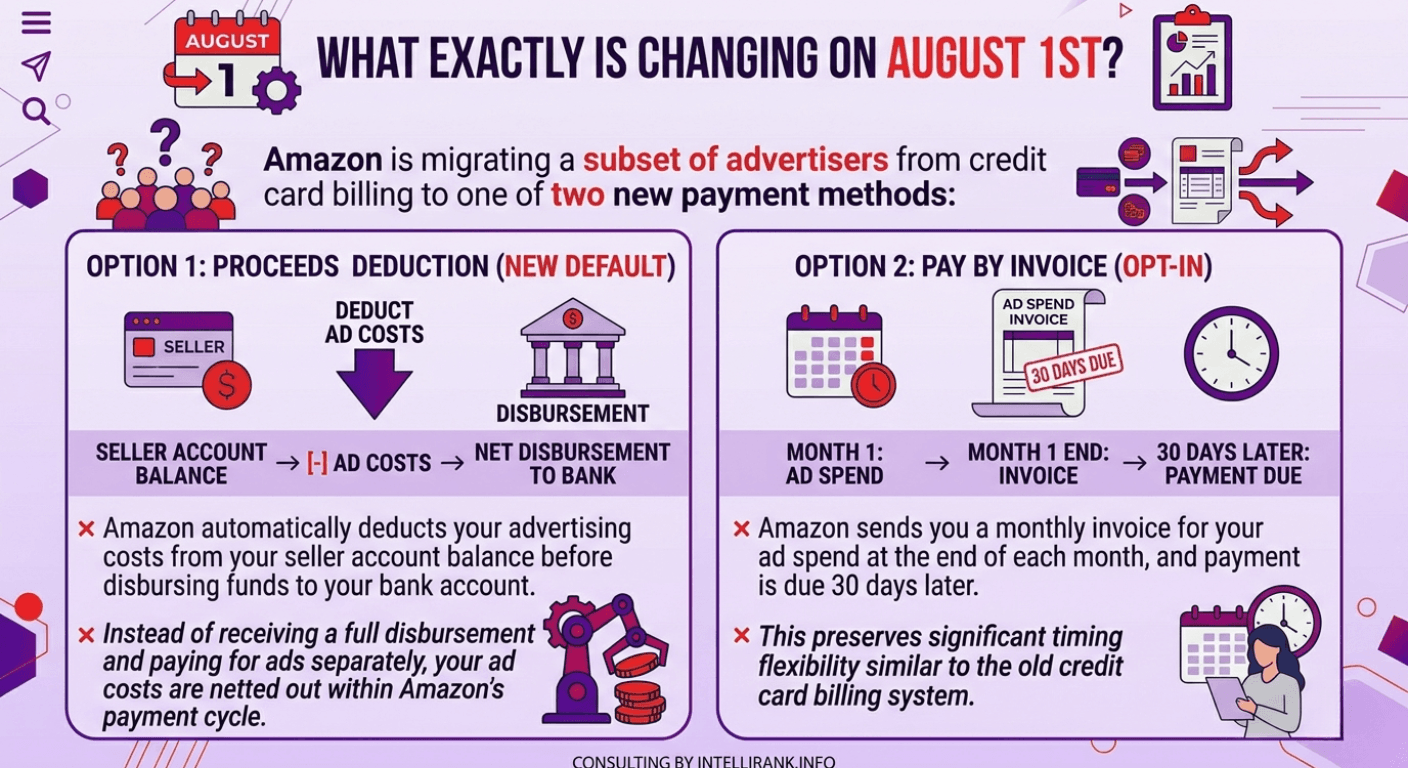
What Exactly Is Changing on August 1st?
Amazon is migrating a subset of advertisers from credit card billing to one of two new payment methods:
Option 1: Proceeds Deduction (New Default)
Amazon automatically deducts your advertising costs from your seller account balance before disbursing funds to your bank account. Instead of receiving a full disbursement and paying for ads separately via credit card, your ad costs are netted out within Amazon's payment cycle.
Option 2: Pay by Invoice (Opt-In)
Amazon sends you a monthly invoice for your ad spend at the end of each month, and payment is due 30 days later. This preserves significant timing flexibility similar to the old credit card billing system.
What Happens to Credit Cards?
Credit cards remain on file as a backup payment method. If your proceeds balance is insufficient to cover ad costs (for example, during slow sales weeks or heavy return periods), Amazon will charge the card on file automatically.
However, credit cards can no longer serve as the primary billing method for affected accounts after August 1.
Who Is Affected by This Change?
This change applies only to the small subset of advertisers who currently use credit cards as their primary ad billing method. The majority of Amazon advertisers already pay through proceeds deduction and won't see any change.
How to Check If You're Affected
- Check your email—Amazon sent direct notifications to affected accounts
- Log into Amazon Ads Console
- Navigate to Billing > Payment Settings
- Look at your current primary payment method:
- If it already shows "Account balance" → You're already on proceeds deduction; nothing changes
- If it shows "Credit card" → You're affected and need to choose a payment method before August 1st
If you don't select a preference before the deadline, Amazon will automatically migrate you to proceeds deduction.
How This Changes Your Cash Flow
The mechanical shift is straightforward, but the working capital impact can be massive—especially if you're running significant ad spend.
Under the Old System (Credit Card Billing):
- You incur ad costs throughout the month
- Credit card statement closes at month-end
- Payment is due 25–30 days after the statement closes
- Meanwhile, Amazon disburses your sales proceeds on a separate schedule
Result: Approximately 45 to 60 days between when you incur ad costs and when cash actually leaves your bank account.
Under the New System (Proceeds Deduction):
- Ad costs are netted against your available balance within Amazon's disbursement cycle
- The gap between incurring the cost and paying for it shrinks to your disbursement frequency (typically 14 days)
Result: You lose 30 to 45 days of float—the interest-free working capital that was effectively funding your operations.
The Credit Card Rewards Loss
Beyond the float, there's also the loss of credit card rewards. Many sellers were earning 1.5% to 2% cash back on their ad spend.
At $50,000/month in ad spend:
- Annual ad spend: $600,000
- Rewards at 2%: $12,000 per year lost
At $100,000/month in ad spend:
- Annual ad spend: $1,200,000
- Rewards at 2%: $24,000 per year lost
This Doesn't Happen in Isolation: The Compounding Effect
Amazon's ad billing change lands alongside two other recent policy shifts that also affect cash timing.
Disbursements are now calculated from confirmed delivery date plus 7 days, rather than ship date plus 7 days. Depending on shipping speed, this adds 3 to 7+ days to your cash conversion cycle. For a seller doing $10,000/day in revenue, a 7-day delay means $70,000 in additional capital locked in Amazon's disbursement pipeline at any given time.
And a temporary surcharge is applied to FBA fulfillment fees due to the Iran conflict driving up oil prices.
These three changes compound. Tighter cash flow from DD+7, reduced margins from the fuel surcharge, and now accelerated ad payment timing create a triple squeeze on working capital.
The sellers who feel this most are those operating with thin capital buffers, where a shift in payment timing creates a gap between outflows (supplier deposits, freight, ad costs) and inflows (Amazon disbursements).
Your Two Options: Proceeds Deduction vs. Pay by Invoice
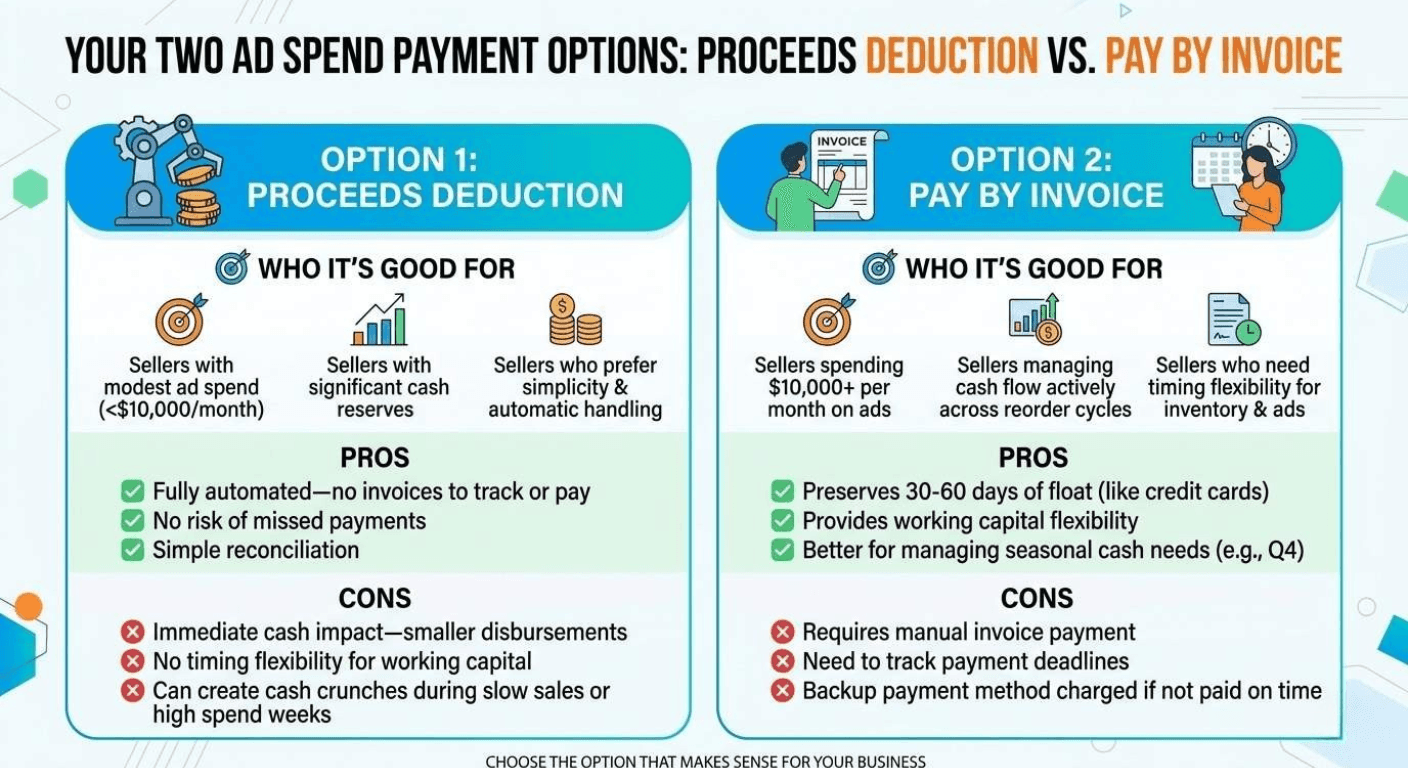
Let's break down which option makes sense for your business.
Option 1: Proceeds Deduction
Who it's good for:
- Sellers with modest ad spend relative to total revenue (under $10,000/month)
- Sellers with significant cash reserves
- Sellers who prefer simplicity and automatic payment handling
Pros:
- Fully automated—no invoices to track or pay
- No risk of missed payments
- Simple reconciliation
Cons:
- Immediate cash impact—you receive smaller disbursements
- No timing flexibility for working capital management
- Can create cash crunches during slow sales periods or high ad spend weeks
Option 2: Pay by Invoice
Who it's good for:
- Sellers spending $10,000+ per month on ads
- Sellers managing cash flow actively across reorder cycles
- Sellers who need timing flexibility to fund inventory and ads simultaneously
Pros:
- Preserves 30–60 days of float (similar to old credit card timing)
- Provides working capital flexibility
- Better for managing seasonal cash needs (especially Q4)
Cons:
- Requires manual invoice payment
- Need to track payment deadlines
- Backup payment method charged if invoice not paid on time
How to Switch to Pay by Invoice
If you decide Pay by Invoice is right for you, here's how to enable it:
- Log into Amazon Seller Central
- Navigate to Ads Console
- Open Billing > Payment Settings
- Select Pay by Invoice as your default payment method
- Confirm the change
Do this before August 1st. Accounts that don't select a preference will be automatically migrated to proceeds deduction.
How Strategic PPC Management Protects You During This Transition
You can't control Amazon's billing policies. But you can control how efficiently you spend your advertising budget—and that efficiency becomes even more critical when your cash flow gets tighter.
When working capital is constrained, every dollar of wasted ad spend hurts more. Every underperforming campaign becomes a bigger problem. Every missed optimization opportunity costs you more than it did before.
This is where strategic PPC management makes the difference.
Not sure how efficiently you're spending your ad budget? We'll show you exactly where you're leaving money on the table.
👉 Get your free PPC efficiency audit now and make sure you're prepared for this billing change.
Share this article
Free for Amazon Sellers
Get the FREE 4-Step Amazon Growth Strategy
The exact framework used by 4,000+ Amazon brands to launch, optimize, and scale — yours free.